All-in-One Presentation Toolkit
A complete screen communication system.
DeskBoard2 keeps the tools you need close to the screen, so you can explain, capture, record, and present without breaking flow.
Drawing
Draw directly where the explanation happens.
Turn your screen into a temporary canvas with pens, shapes, text, markers, blur tools, style controls, and editable history.
Capture
Capture the useful part and keep moving.
Select a region or window, save the shot, pin a preview, edit the image, extract text into Markdown, and translate captured screen text in real time.
Recording
Record now, keep the workflow visible.
Choose a recording area, monitor microphone and system audio, control the session from a floating bar, then trim and reuse the result.
Click and Cursor Effects
Guide attention without saying “look here.”
Add focus effects, click feedback, screen treatments, and cursor trails that make demos, lessons, and tutorials easier to follow.
Key Stroke
Show every shortcut as it happens.
Display keycaps for shortcuts, modifiers, or every key press with styling, positioning, recording options, and privacy filters.
Camera Overlay
Stay present while the screen stays primary.
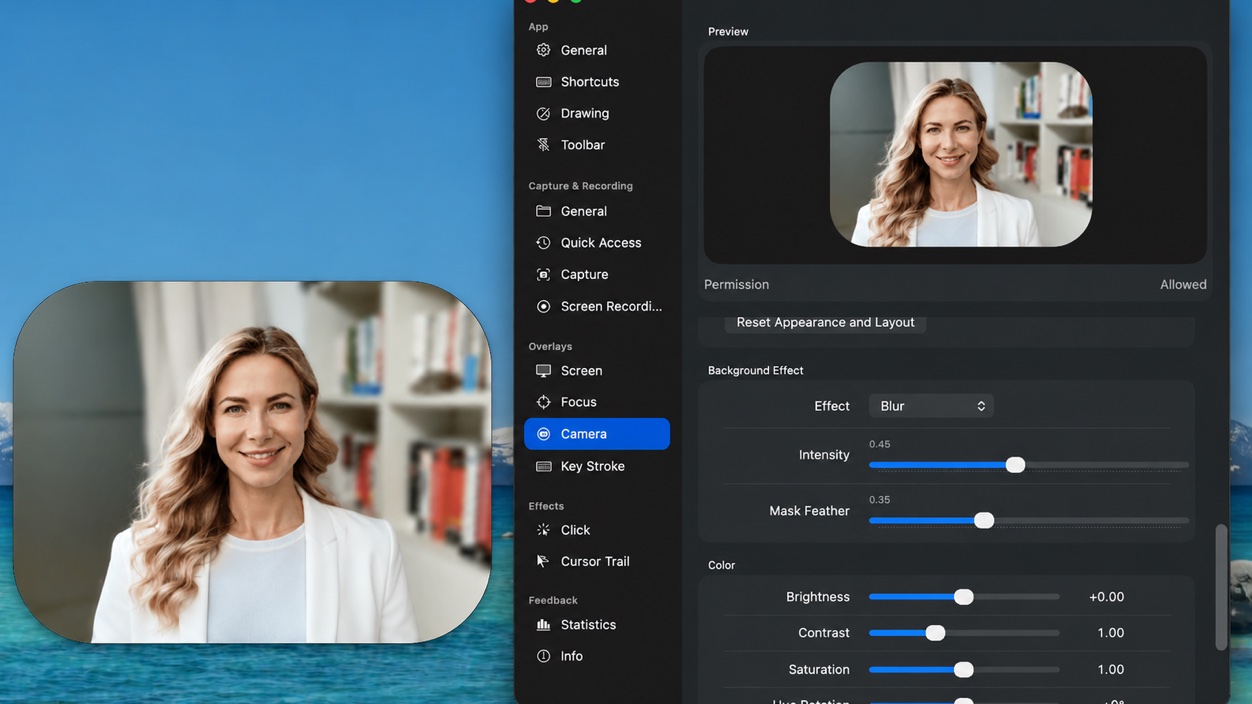
Add a camera overlay with subject masking and background effects, then position and tune it as part of the working canvas.